Simulator
The Simulator runs a simulation file that is loaded by the user. This simulation consists of multiple events including Vehicles entering the map, going to their destination, roads being opened / closed and vehicles then exiting the map.
The Simulator acts like a client to the Monitoring Centre (MC) in such a way that the MC has to be started first and then the Simulator started next. This is because the Simulator connects to the MC using the communications system, which allows the Simulator to edit road status.
The system was designed to work like this so that the simulator did not enfringe on the MC. The Monitor Centre has the ability to be shipped and is ready for sale because the simulator does not exist as part of the main system, but more of a plugged-in application.
Using the Simulator
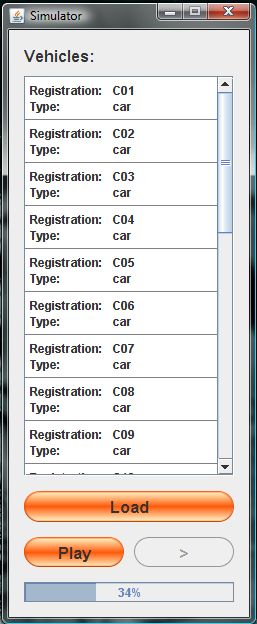
The Simulator has the ability to play, pause and fast forward a simulation and displays the progress of the simulation. The list shown in the simulator is a list of vehicles being simulated on the Monitoring Centre, and if double clicked brings up the In-Car device and a maual over-ride screen. The destination of the vehicle can be changed during a simulation using the "Select Destination" and "Find Exit" buttons (see "In-Car Device").