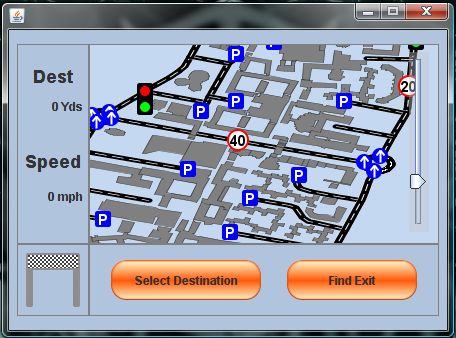
InCar System
The InCar system is the most user-oriented section of the system. Its goal is to aid the driver/user of this system in finding a specific parking space, closest to their desired destination. The map display allows the user to perform a "Click and Drag" style movement using the touch-screen. This enables the campus road network to be viewed from a close distance if required by the user for easier selection of objects.
The two buttons contained within the bottom panel of the screen control the only functions that the user can dictate. These are the destination selection menus, which are controlled by a multi-layered selection process. The first step is to press the Select Destination button, which initialises the destination selection process. After this, it is possible to select destination via a list of target places, or via pressing the desired location on the screen.
Once the user has selected the destination via one of the above methods, the system computes the shortest route to the nearest available car park. This allows the user to arrive almost at their exact destination if they have not selected a specific car park. The route finding will also discover whether or not the desired car park is full, or if any roads are blocked, and re-compute the route in real time.
Also, when the user decides to leave the controlled area, the system will calculate the shortest route to the nearest exit from the user's current position. Once all of the route calculations have been finished, the system then guides the user by a highlighted road network on the map section of the interface.